Most law firms have a list of potential use cases for AI agents – work they’d like taken off their plate. Some of them sit in the business of law, others in the practice of law, and each has its own people, workflows and pressures.
That list is a good start, but firms have limited time, budget and people to tackle all of it at once. The pain points have to be uncovered and the work prioritized, so resources are deployed where it will deliver the most value. Identifying the real pain points starts with understanding how the work actually gets done today, by whom, and why. Getting that right matters even more now that implementation and building has become so much faster.
AI has made it much faster to put new workflows in place. That speed is useful, and it puts more weight on getting the problem right before anything gets rolled out.
The discipline of understanding the problem first is what keeps firms from building the wrong thing quickly. With AI, that discipline matters even more.
Workshops, one-on-one interviews and process walkthroughs are all methods of design thinking. Each one helps answer the question: how does this process work for this person, or this group? That means looking closely at how the work actually happens day to day, step by step.
It’s the same starting point I’ve relied on throughout my years in UX and UI design: understand who the users are and what they need before deciding what to build. In a legal workflow, the users are the lawyers and business support staff doing the work, the people who depend on what it produces, and sometimes clients. Their needs shape the workflow. The technology comes after.
I approach AI workflow design in three phases:
Each one builds on what the phase before it uncovered.
Before designing a new agent-first workflow, or worse, layering AI on top of an existing one – start with process mapping – documenting the workflow as it exists today. That means one-on-one conversations with the people doing the work, process walkthroughs, and following the work from start to finish – the tasks, documents, data and decisions along the way.
Those conversations and walkthroughs often turn up what no written procedure captures. There are decision points nobody wrote down. Handoffs that depend on one person remembering to send an email. Approvals that happen in hallway conversations. Workarounds that quietly hold the whole process together.
Those workarounds are useful evidence. Each one shows where the current system isn’t working for the people using it – and an AI workflow built without knowing about them can let the same people down in a new way.
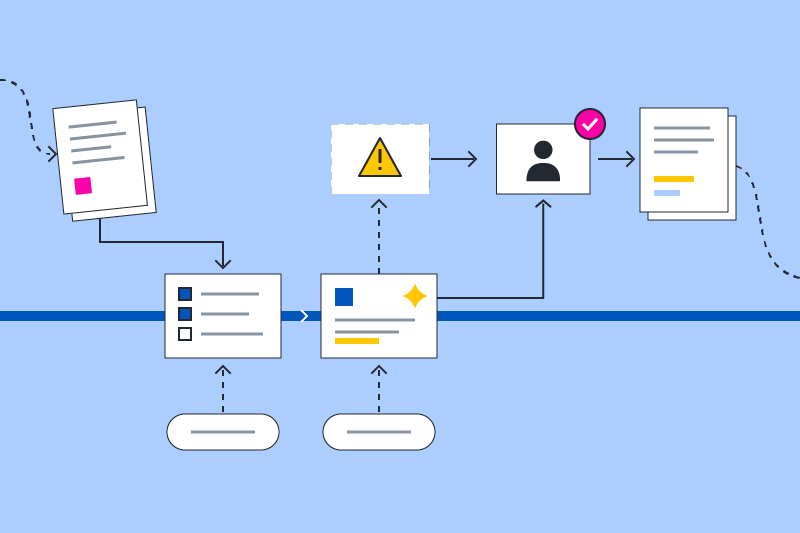
All of it gets captured in an annotated visual map of the workflow: who does what, where the handoffs and decision points are, which systems are involved, and where the friction shows up. It should be clear enough for anyone to follow – especially the people doing the work. If they don’t recognize their own process in it, it isn’t finished.
Once the current state is clear, the next question is which parts are worth automating at all. Some work is repeatable and low-risk – a good fit for an AI agent. Other work looks repeatable but carries judgment that’s easy to miss until something goes wrong. And some work is slow for reasons that have nothing to do with effort (a missing data source, an unclear owner, a step that shouldn’t exist).
Deciding whether a process is worth automating is a discovery question, not a technology one – and it matters more than which AI product you choose. The process comes first. The tool comes later, and there’s usually more than one that could do the job.
With the current state mapped and priorities set, the design work begins – and the people doing the work should be part of it, not just told about the result. They know where the current process breaks and what a better one needs to do. That means laying out the future-state workflow step by step: the decision points and who owns each one, what information each step needs and where it comes from, and where an AI agent can take on some or all of the work.
It also means checking that the data and knowledge sources the workflow depends on exist and are in good shape. Gaps there are much easier to address before anything is rolled out.
The result should work for two groups. The people doing the work should recognize it as an improvement on how they work today. Involving them from the start earns their buy-in, and that’s what turns a new workflow into the way work actually gets done. The team configuring the agents needs clear requirements: what each agent does, what information it uses, and when it hands work back to a person.
The future-state workflow design gets the same treatment: an annotated diagram showing where the agent steps in, where a person reviews, and what happens when something doesn’t fit. Shared with everyone who touches the process, it becomes the common reference for building, testing and training – and later, the baseline for measuring whether the new workflow is doing its job.
Design thinking puts people at the center of every decision. In AI workflow design, that’s literal. Somebody has to decide what an agent can do on its own, what needs a person to review, and what happens when the agent hits something it wasn’t built for.
A firm’s AI policies may set the broad rules, such as when AI output needs a person’s review. The specific decisions – which steps the agent handles, who reviews what, where exceptions go – need to be built into the workflow itself, from the start. An agent that explains what it did and why, and that hands work back to a person cleanly when it should, is one lawyers and business support staff will actually trust. An agent that doesn’t gets quietly ignored.
A good design still has to be put into practice. This phase covers finalizing the requirements for the team configuring the agents, agreeing on outcome measures up front, and support through implementation, testing and refinement.
Workflows change once real people start using them. The design should be expected to change with them.
If your firm is exploring where AI agents could help, don’t start by ranking the tools. Pick one legal workflow and walk through it with the people who do it every day. You’ll learn more in that hour than in a month of vendor demos.
That’s the work of the AI Strategy + Workflow Design practice at Knox Design Strategy, and it’s where I start.
Before you design an AI-enabled workflow, you have to understand the one you already have.